
DesignaKnit and Lace
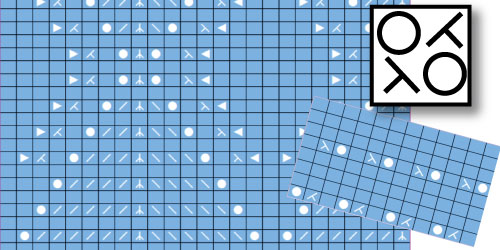
Use the power of Stitch Designer to copy or create beautiful lace stitch patterns.
Use it to create knitting diagrams for hand knitting, hand manipulation or create patterns to use with the lace carriage on your standard gauge knitting machine.
Many knitters have found that working with the Lace tool in Stitch Designer can be frustrating.
They find that the software gives lots of cryptic messages as you are designing.
DesignaKnit is very powerful and it applies knitting 'rules' to your designs based on your machine and basic machine knitting practices.
This course will help you understand the rules and have success creating lace.
- 40 lessons
- 7 modules
- Online course
- Lifetime access
What's inside this course
1 About DAK and Lace 7 lessons
- 1 The Goal
- 2 How to use the tool
- 3 Left and Right Mouse Buttons
- 4 Set up for your machine and project
- 5 Don't over-complicate it
- 6 Brother vs Silver/Singer
- 7 Copy Hand Knitting Lace Patterns
2 Lace Smart Symbols 8 lessons
- 1 The Goal
- 2 The Symbols Organizer
- 3 Hand Knitting and Hand Manipulation
- 4 About Smart Symbols
- 5 Split sequence challenge
- 6 Brother vs Silver/Singer
- 7 Brother "Rules"
- 8 Silver/Singer "Rules"
3 DAK and machine Knitting - Don't skip this 4 lessons
- 1 The Goal
- 2 Punchcards with lace symbols
- 3 Create Lace on the Machine
- 4 Copy a punchcard or Machine Stitch Pattern
4 Your Turn: Practice with the Lace Tool 3 lessons
- 1 The Goal
- 2 Simple practice
- 3 Split sequence practice
5 Machine-Specific: Singer/Silver 6 lessons
- 1 The Goal
- 2 Singer / Silver Reed: Fashion Lace and Simple Lace
- 3 Interactive Knitting: Singer/Silver
- 4 Punchcard Basics
- 5 Punchcards: Singer / Silver
- 6 Silver Reed 840
6 Machine-Specific: Brother/Knit King 7 lessons
- 1 The Goal
- 2 Brother: Normal Lace and Fine Lace
- 3 Interactive Knitting: Brother/Knit King
- 4 Punchcards: Brother
- 5 Brother KH950i
- 6 A common Brother Message
- 7 Lace and the Brother 970
7 Create a Pattern Start-to-Finish 5 lessons
- 1 The Goal
- 2 Copy a Stitch Pattern
- 3 Use the Smart Symbols: Singer/Silver
- 4 Use the Symbols: Brother
- 5 Your Turn: Try This
Get full access
Unlock every lesson in this course with lifetime access for $49.99.
Already purchased?